
Until now, the Adnuntius MCP server let your AI agent read your account. Today it can also draft campaigns for your buyer team.
Tell the agent what you want. It finds the product, estimates the reach, and creates the order and line item. You add the creative and approve it. Nothing runs without a person.
Try it
An example prompt:
“Book a two-week display campaign for Nordic Coffee on the Direct Path product, starting next Monday, with a budget of 10,000 NOK. Estimate the reach first.”
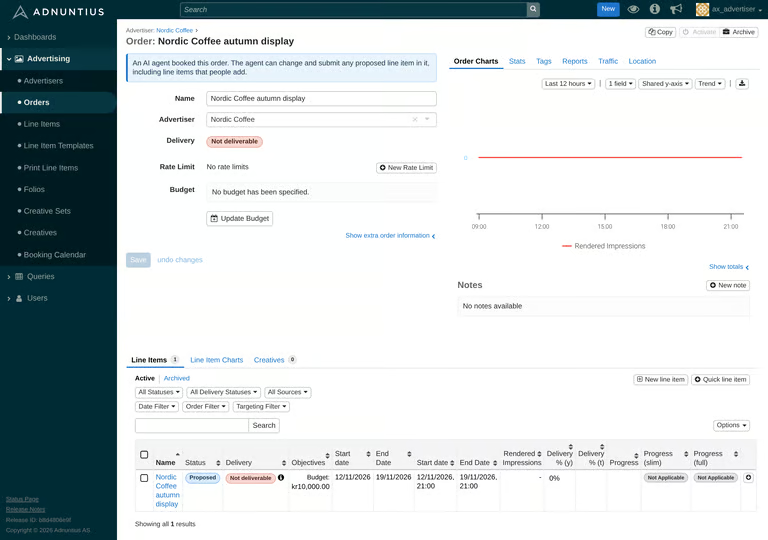 The agent lists the products your team can buy, estimates the reach, and gives you a link to the new line item.
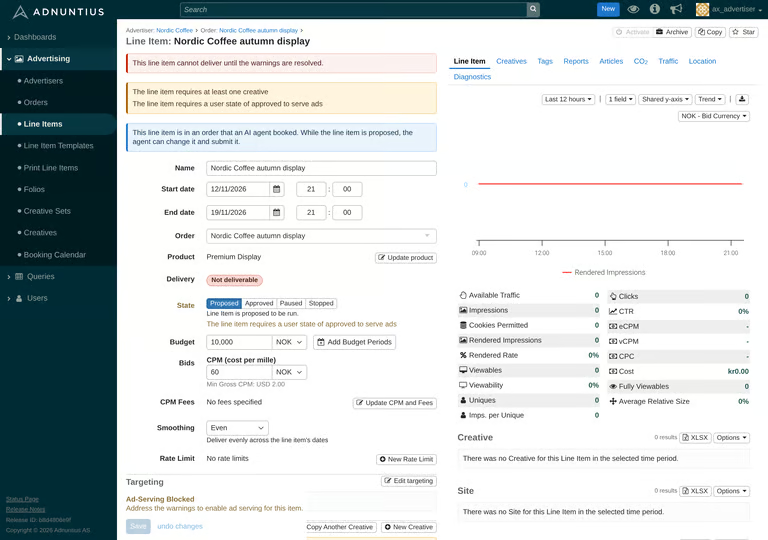 You stay in control
-
The agent drafts. The line item is saved as Proposed, and either you or the agent can adjust it.
-
You add the creative. The agent can’t upload ads.
-
Your buyers approve. After the agent submits, you get a notification and set the line item to Approved. It serves from its start date.
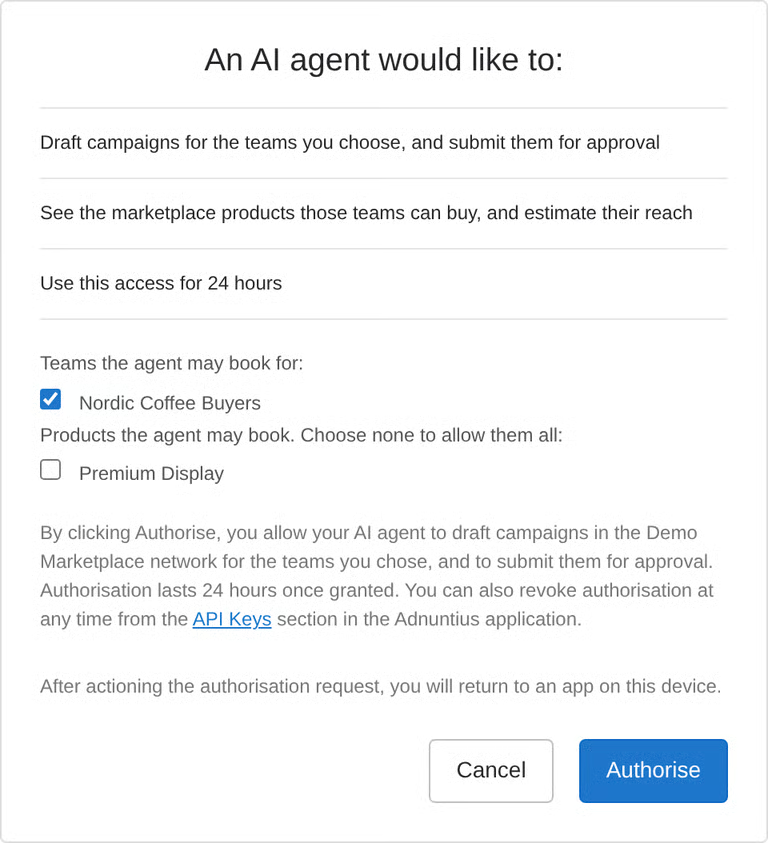
You set the limits. You choose which teams, and optionally which products, the agent can book for. Access lasts 24 hours, and you can revoke it any time.
 How it works
-
Connect: add your booking address as an MCP server in your agent, next to the one you already have.
-
Authorise: pick the teams and products the agent can book for.
-
Ask: describe the campaign.
-
Check: open the line item, add the creative.
-
Submit: ask the agent to submit, then approve it in Adnuntius.
It works with the agents the Adnuntius MCP already supports: Claude, OpenAI Codex / ChatGPT, Google Antigravity and Mistral Vibe.
Getting started
Agent booking needs to be switched on for your network, so ask Adnuntius support for your booking address. Then a network admin ticks Agent Booking on your buyer team.
Full setup and troubleshooting: https://docs.adnuntius.com/other-useful-information/mcp-server/book-a-campaign-with-an-ai-agent